Using GitQueue
Learn the standard workflow for managing PRs with GitQueue's merge lane system, persistent overview comment, and command interface.
Standard Workflow
Follow these six steps to add your PR to the queue and have it merge automatically when ready.
1Create Pull Request
Open a pull request targeting your repository's default branch. GitQueue automatically adds an overview comment showing the PR's current state and queue eligibility.
Requirements: PR must target default branch and not be in draft state
2Check Gate Readiness
For highest, high, normal, and low, GitQueue requires all three enqueue gates to resolve to pass or warn before the PR can enter the lane.
Checks, Approval, and Freshness must each be pass or warn. Use lowest while a PR is still pending.
3Add to Queue with Command
Comment on your PR to add it to a merge lane. Choose the appropriate lane based on priority. /gitqueue add defaults to the lowest lane.
Highest, high, normal, and low are for ready work that already satisfies the non-lowest gate rules. Lowest is for PRs that are still pending or warming up.
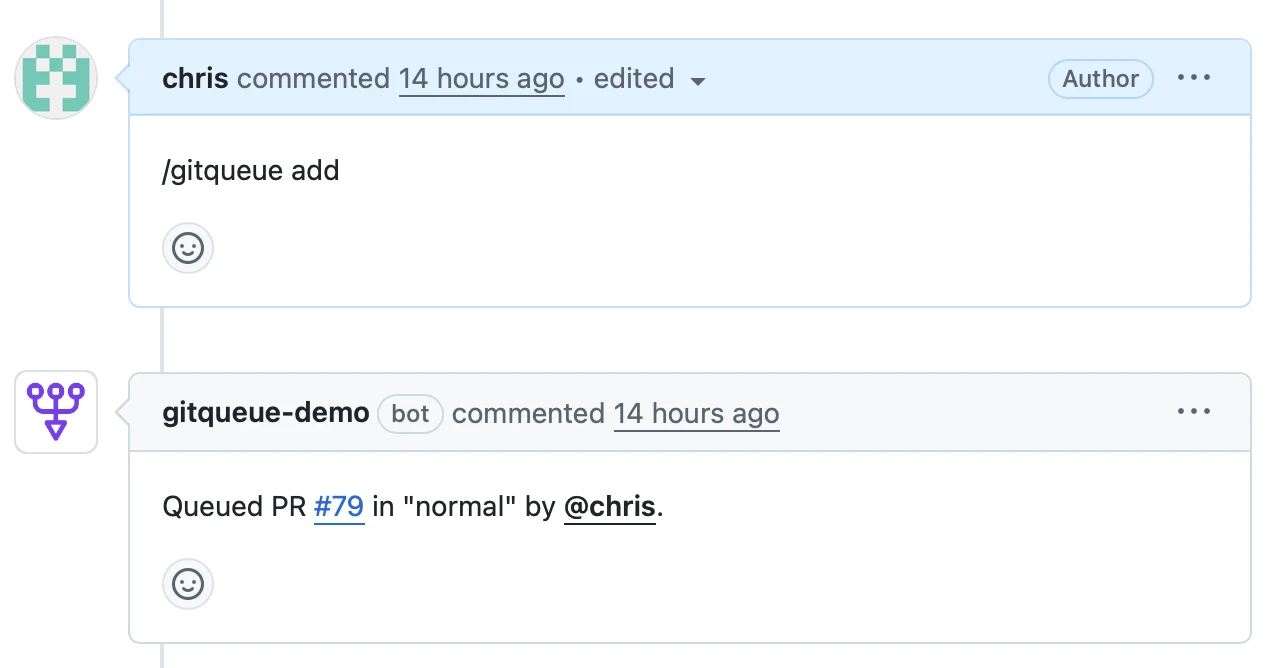
/gitqueue add normalMost commonly used command for standard feature development
Available Lanes
| Command | Use Case |
|---|---|
| /gitqueue add | Default command, resolves to lowest |
| /gitqueue add highest | Emergency fixes (admin only) |
| /gitqueue add high | High-priority changes (CODEOWNERS) |
| /gitqueue add normal | Standard ready work |
| /gitqueue add low | Lower priority changes |
| /gitqueue add lowest | For PRs with pending or warming-up gate states |
4Wait for Processing
GitQueue processes PRs in priority order. Your PR will wait in its lane until it reaches the front. GitQueue refreshes that PR's overview comment only when its rendered content changes.
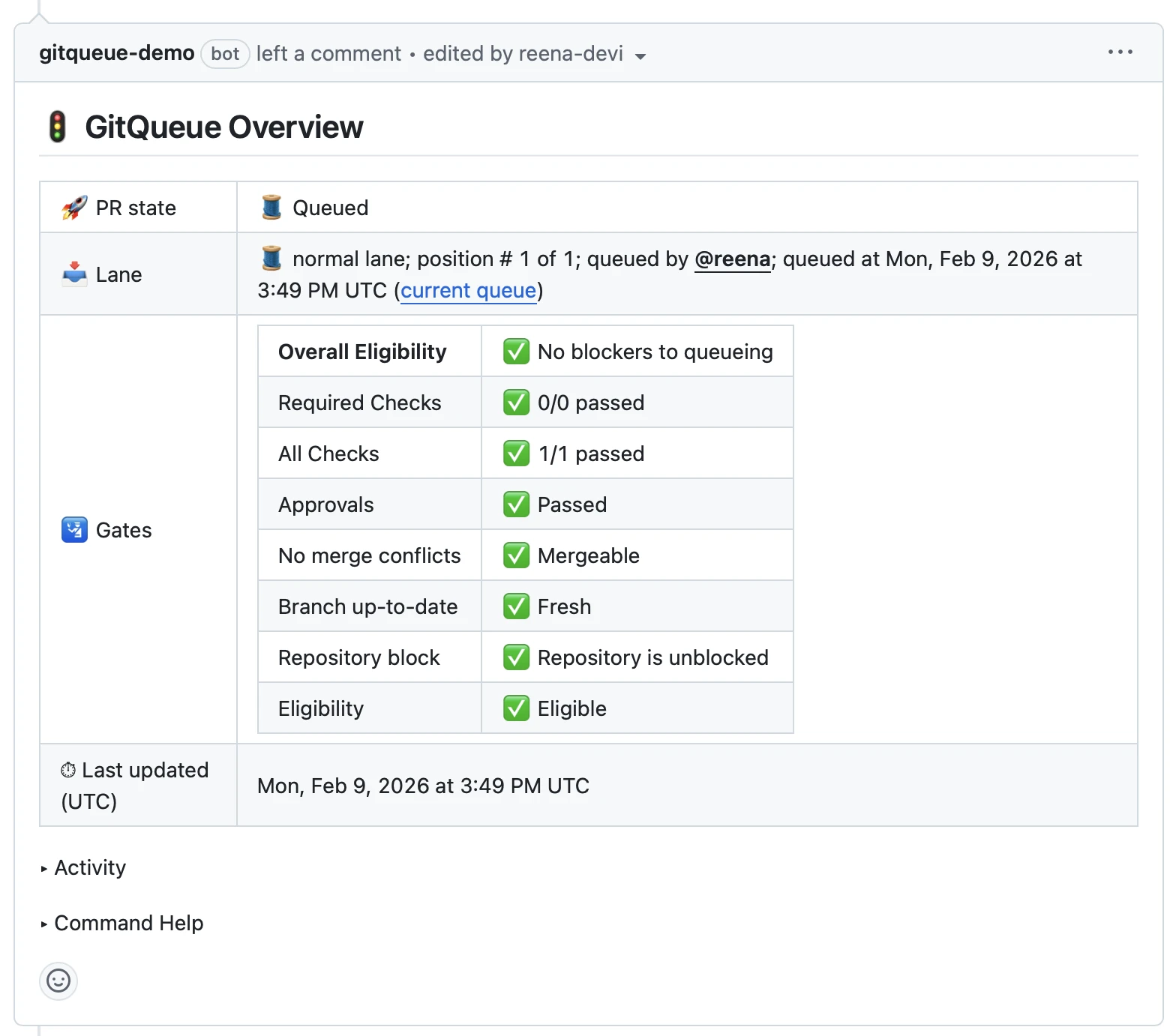
Processing Order: highest → high → normal → low → lowest. Within each lane, PRs are processed first-in, first-out.
5Automatic Branch Updates
When your PR reaches the front, GitQueue checks if the branch is up to date. If not, it automatically updates your branch and waits for the next processing cycle.
GitQueue handles branch updates automatically and re-checks freshness on the next cycle. If an update request is deferred but the branch becomes fresh, GitQueue continues normal gate handling without repeatedly requesting updates.
6Automatic Merge
Once Checks, Approval, and Freshness all pass, GitQueue automatically merges your PR using the configured merge method.
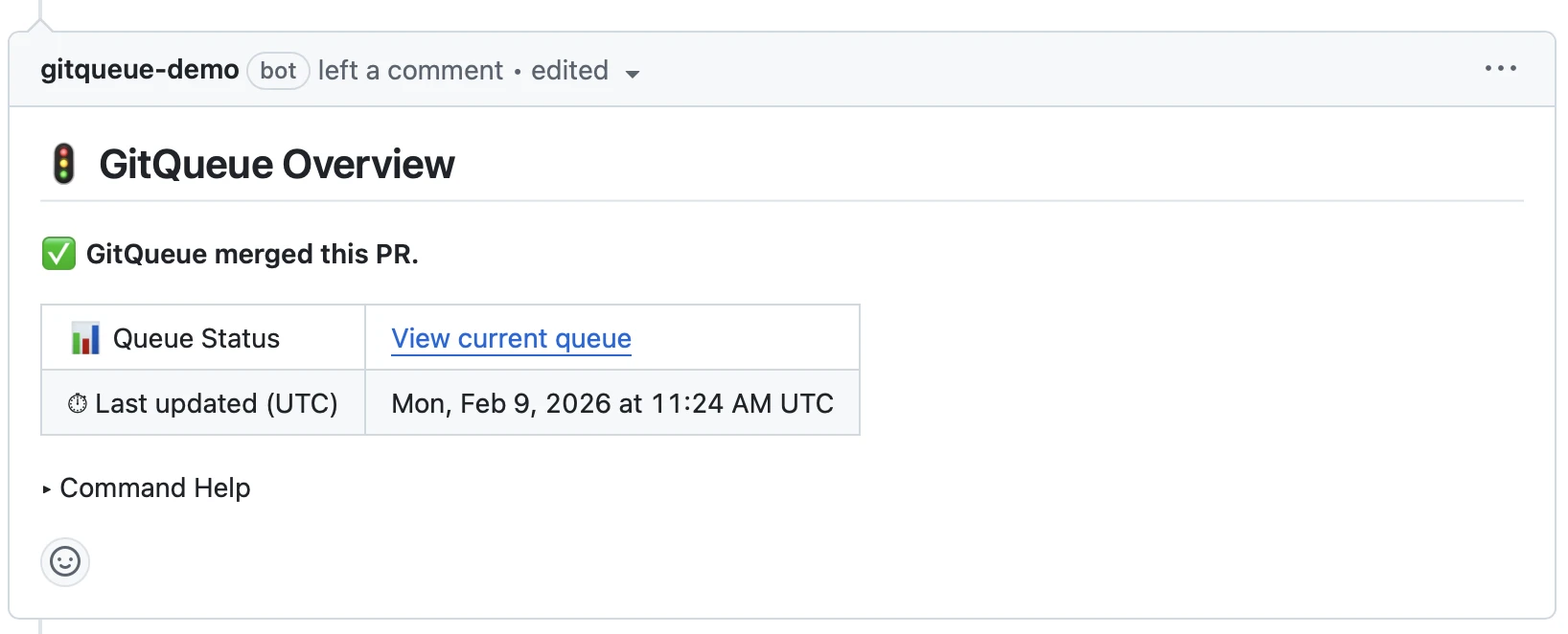
Success! Your PR has been merged. GitQueue updates the overview comment to confirm the merge and removes the PR from active merge lanes.
Common Commands
Use these commands to interact with GitQueue on your pull requests. All commands are issued as PR comments, commands are case-insensitive, and GitQueue only processes newly created non-bot command comments.
| Command | Description |
|---|---|
| /gitqueue add | Add PR to the lowest lane by default |
| /gitqueue add highest | Add PR to the emergency lane (repository admins only) |
| /gitqueue add normal | Add PR to normal priority lane |
| /gitqueue add high | Add PR to high priority lane (requires CODEOWNERS permission) |
| /gitqueue add lowest | Add PR to lowest lane when gates are still pending or warming up |
| /gitqueue remove | Remove PR from its lane if you have write access, or remove your own PR from any lane |
| /gitqueue status | Recompute current PR status; queued PRs update only if their rendered overview changed |
| /gitqueue clear all | Remove all PRs from active lanes and return their overview comments to general mode (admin only) |
| /gitqueue block | Manually block all enqueue and processing activity for the repository until unblocked (admin only) |
Access Control: Different lanes require different permission levels. The highest lane is admin-only, while high requires CODEOWNERS permission.
Status command nuance: on a queued PR, /gitqueue status recomputes gate state and rewrites the overview comment only if that PR's rendered content changed. On a non-queued PR, it returns command feedback without rewriting the general overview comment.
Web Status Page
GitQueue provides a web interface where you can view active PRs across all priority lanes. Access it through the link in any PR overview comment.
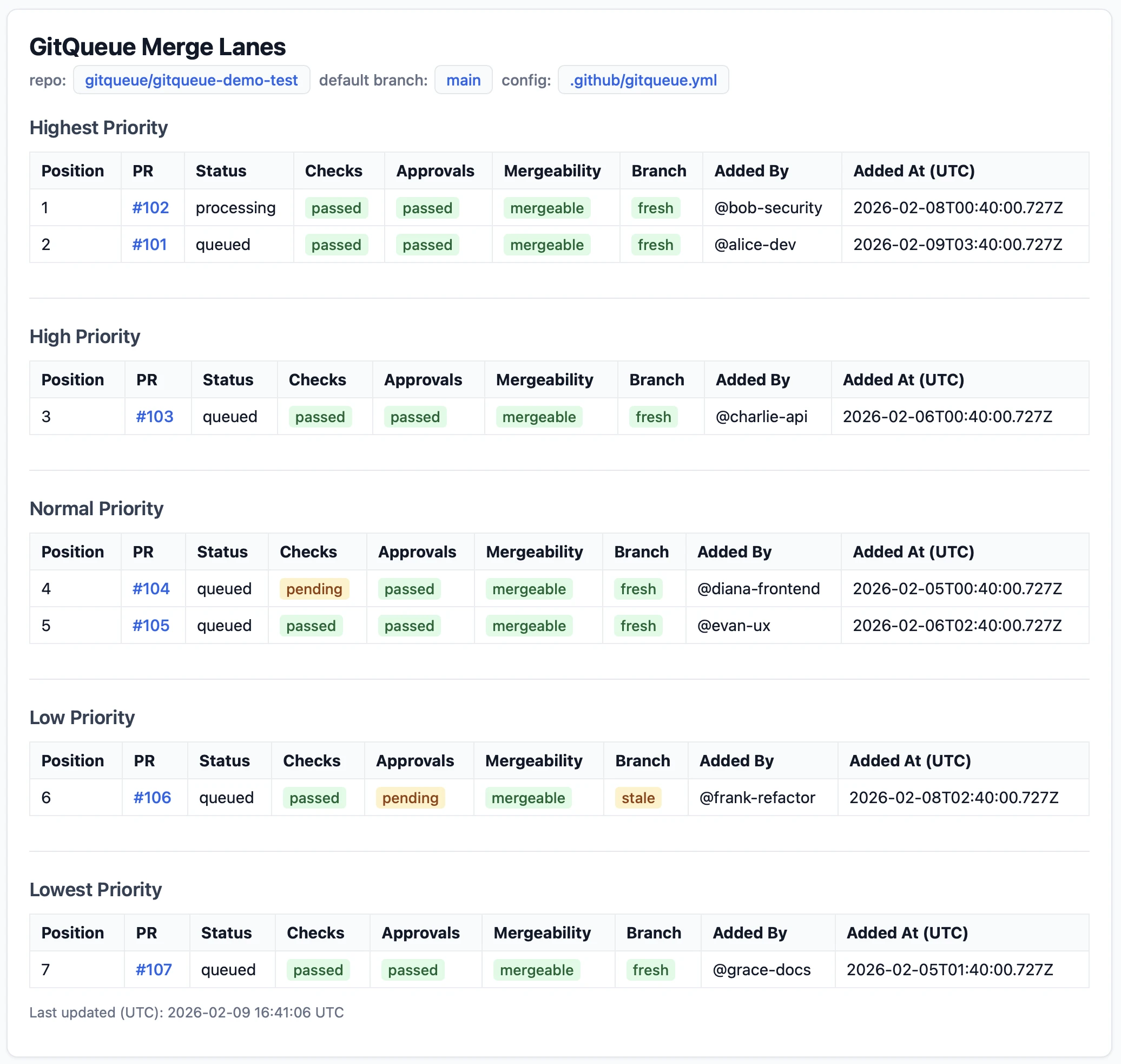
Status Page Features
- View active queued and processing PRs sorted by lane priority (highest, high, normal, low, lowest)
- See real-time gate status for each PR (Checks, Approval, and Freshness)
- Check row metadata including position, PR link, lane, status, who queued it, and when it was queued
- Review activity history for each PR showing processing events and outcomes
- Open PR links directly on GitHub for deeper investigation
GitHub OAuth Authentication: The status page uses GitHub OAuth for authentication. You'll need to be logged in to GitHub and have read access to the repository to access its lane status, and GitQueue stores that access token in a separate short-lived HttpOnly cookie.
Entitlement checks still apply: queue and merge behavior require an active account. If a repository is outside the account entitlement set or the active processing PR cap would be exceeded, enqueue is rejected with informational feedback.
What If Things Go Wrong?
GitQueue is designed to handle common failure scenarios gracefully. Here's what happens when things don't go as planned.
Gate Failure on a Fresh Branch
If a gate fails on a fresh branch, GitQueue moves the PR to the end of its lane and continues processing the next PR in that lane. Resolve the failure reason and it will be retried later.
Branch Is Behind
If Freshness is warn because the branch is behind, GitQueue updates the branch, keeps the PR in the same lane position, and retries on the next cycle.
Approvals Revoked
If approvals are revoked while in a merge lane, the PR is treated as gate-failing and moved to the end of its lane. Get the gate back to pass or warn and it will be retried.
Pending Gate Data
If GitHub has not resolved mergeability yet or branch freshness cannot be determined, GitQueue keeps the PR in place and retries on a later trigger instead of treating it as a failure.
Long Wait Times
If your PR is waiting for a long time, check the status page to see if there are higher-priority PRs ahead of you, or if PRs in your lane are repeatedly failing and being moved to the end.
Key Point: GitQueue does not drop a PR just because a gate failed. It either waits, updates the branch, or moves the PR to the end of its lane based on gate priority. Use /gitqueue remove if you want to manually remove a PR.